

DIY Photo Calendars – A Creative Gift from the Heart
This is a collaborative post
Finding a gift that’s both personal and practical is not always easy. You want something meaningful, something that brings a smile, every single day if possible. That’s exactly why a custom photo calendar makes such a brilliant idea. It’s not just a way to keep track of dates; it’s a way to relive moments, month after month. Whether for a grandparent, a best friend, a partner, or even a teacher, a DIY calendar filled with your favourite memories becomes a gift they’ll truly use and treasure. What’s even better? You don’t need to be a graphic designer or a tech whiz to make one. With tools like Photo Calendar Creator available at https://photo-calendar-software.com/, crafting a professional-looking, heartfelt calendar is both easy and genuinely enjoyable.
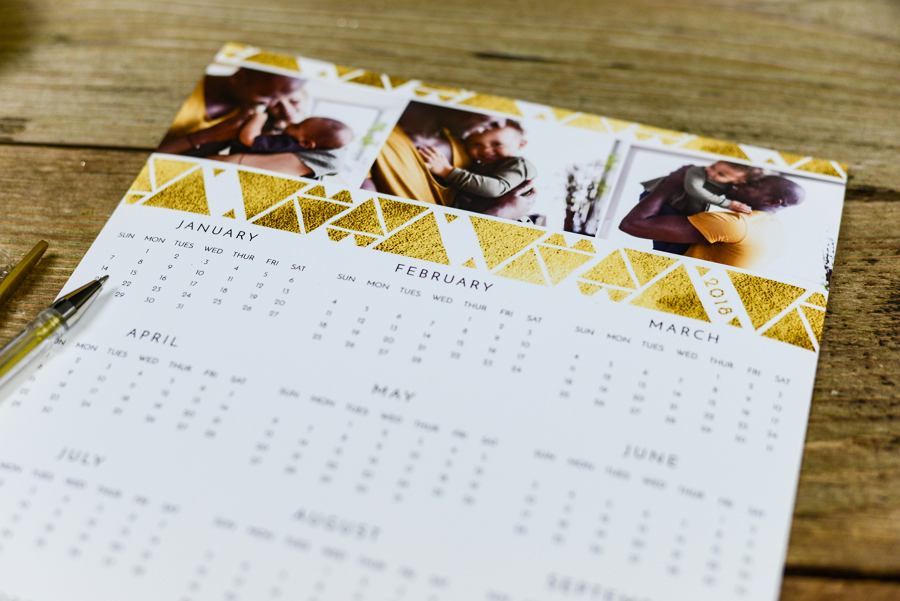
Make It Personal: 5 Inspiring Tips for Your Custom Photo Calendar
Let’s walk through five creative tips to help you build a calendar that’s not just beautiful, but uniquely yours.
1. Choose the Perfect Type and Template for Your Calendar
Before diving into photos and text, it’s worth thinking about who you’re creating the calendar for and how they might use it. Are they someone who likes to hang a big wall calendar in the kitchen? Or would a small desk version suit them better? Maybe a pocket-sized one is more practical?
Photo Calendar Creator offers a wide range of designer templates:
- Poster-style calendars for a bold single-page impact
- Spiral-bound or multi-page monthly layouts
- Table calendars ideal for work desks
- Weekly planners for busy parents or students
- Perpetual calendars that highlight birthdays and anniversaries
- Even lunar calendars for garden lovers
Templates come designed for various time periods: year-long, three-year, or even just one month and all are fully editable. You just pick the format and layout that best fits your idea or the person you’re gifting it to.

Or

2. Make It Timeless Or Timely
One thoughtful feature of Photo Calendar Creator is that you don’t need to stick with a traditional January-to-December layout. You can start your calendar on any month and any year. That means if you’re giving it as a gift in May or October, it’s still completely relevant.
You can also create calendars in multiple languages, which is especially handy for bilingual families or international friends. Whether it’s in English, French, or both at once, your calendar can reflect the language and the culture of the person receiving it.
3. Customize the Look: From Fonts to Frames
This is where your calendar really begins to come alive. Every template in Photo Calendar Creator is completely customisable. That means:
- Replace all sample images with your own treasured photos
- Switch fonts, colours, and layouts in the date grid
- Add frames or masks to photos for extra polish
- Insert fun or seasonal clipart from the built-in library
You can keep it classic and elegant, or go bold and playful it’s entirely up to you. Want hearts around February? A beach holiday theme in August? It’s all possible. And because each element can be moved or changed, you can make every page feel fresh and personal.

4. Personalise the Dates – Because That’s Where the Magic Happens
One of the most overlooked features in most calendars is the actual dates. With Photo Calendar Creator, you get to change that.
You can tick national holidays (or religious ones) from the software’s built-in list, add birthdays, anniversaries, or family events, and even insert a small photo into a day’s cell to mark something special, like your child’s first day of school or the day your dog joined the family.
This kind of personalisation transforms a calendar into a living timeline -one that brings joy every time the page turns.

5. Add Quotes, Wishes or Notes that Speak to the Heart
Sometimes a line of text can say more than an image. Whether it’s a favourite poem, a quote that always makes you smile, or a little note for your loved one (“Don’t forget – coffee on me this month!”), you can include these on each page.
With Photo Calendar Creator, you can choose any text style or placement. Keep it elegant, or make it colourful and fun. It’s a wonderful way to add warmth and personality and turn your calendar into a little monthly dose of joy.
Alternative Tools to Explore
While Photo Calendar Creator offers a blend of creative freedom and structured templates, there are other tools you might consider, depending on your needs and preferences.
Canva
Popular and intuitive, Canva allows you to create custom calendars with your photos using drag-and-drop tools. There’s a wide range of design templates, and while it’s not calendar-specific, it’s great for creating stylish, modern layouts. However, customising dates can be a bit manual.
Mixbook
Mixbook is a well-loved online photo book and calendar service. You upload your photos, choose from a selection of designs, and the platform handles printing and delivery. It’s ideal for creating gifts without needing to handle printing yourself, but less flexible in layout editing.
Snapfish
Snapfish is another easy-to-use platform that helps you create printed photo calendars. You can select from classic or themed templates and get high-quality prints delivered. It’s a solid choice for quick, polished gifts, though less customisable than software-based options.

In Summary
Creating a photo calendar as a DIY gift is not only thoughtful, it’s fun. You can pour love into every page, tailor it to fit someone’s personality, and make sure it’s useful throughout the year.
Tools like Photo Calendar Creator offer a unique balance: you’re guided by elegant templates, but you also have complete freedom to customise every element, from language to layout to personal touches. That’s what makes the final product feel so special, it’s not just a calendar, it’s a collection of memories and messages, designed by you.
And if you’re looking for that perfect balance between creativity, ease of use, and heartfelt detail, it just might be the tool that brings your calendar ideas to life.


